Setting Up A Payment Plan in Self-Service
MassArt’s Payment Plan is available to students who need an option for paying tuition and fees not covered by Financial Aid and/or other sources.
There is a $50 per semester non-refundable enrollment fee per agreement for using the payment plan.
Please Note: Only Students are able to sign up for a payment plan via their Self-Service account.
Proxy access accounts can only make payments towards the payment plan once it is created by the student.
Log into self service
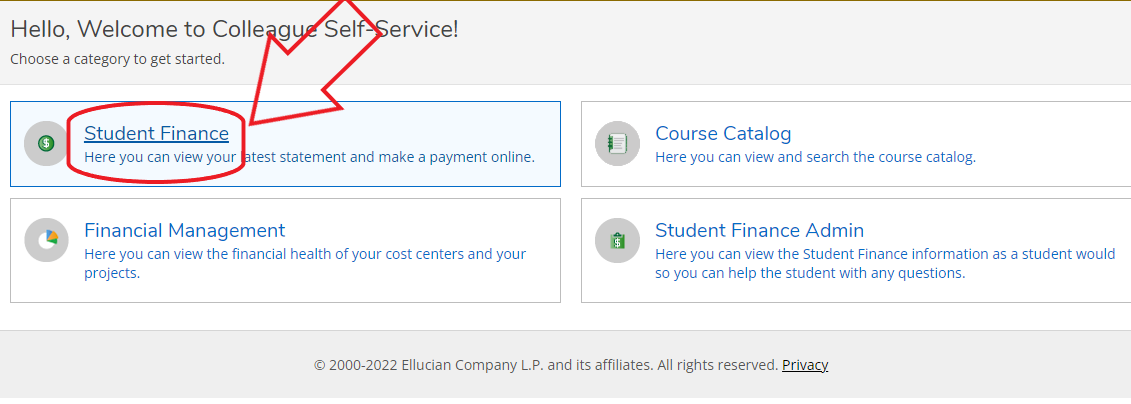
1. Click on Student Finance
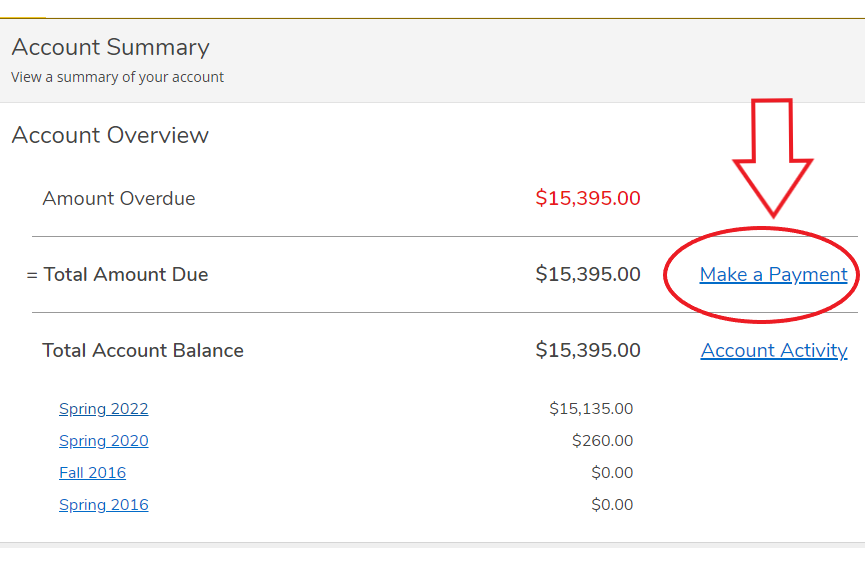
2. Select “Make a Payment”
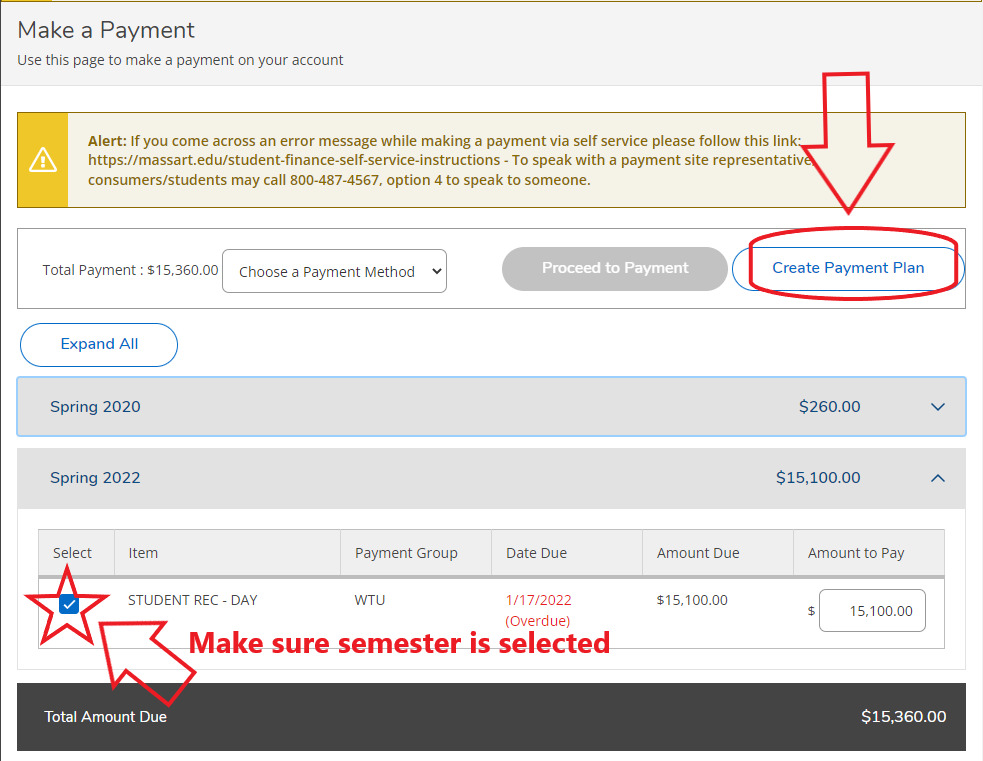
3. Select the semester/ balance you wish to set a payment plan up for and click on “Create a Payment Plan”
4. Select the Term
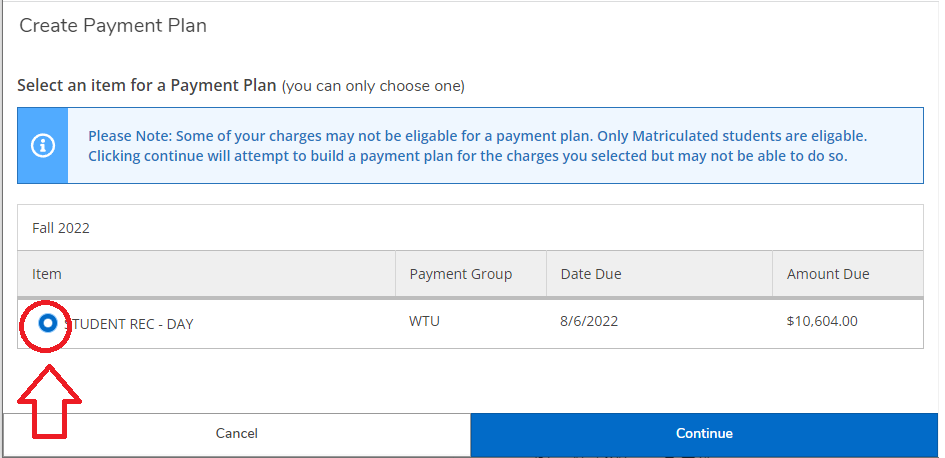
And then click on ‘Continue”
A loading screen will appear while the system calculates
5. A payment plan preview will show, along with the Terms & Conditions. Select the box next to the “I agree to the terms and conditions outlined above”
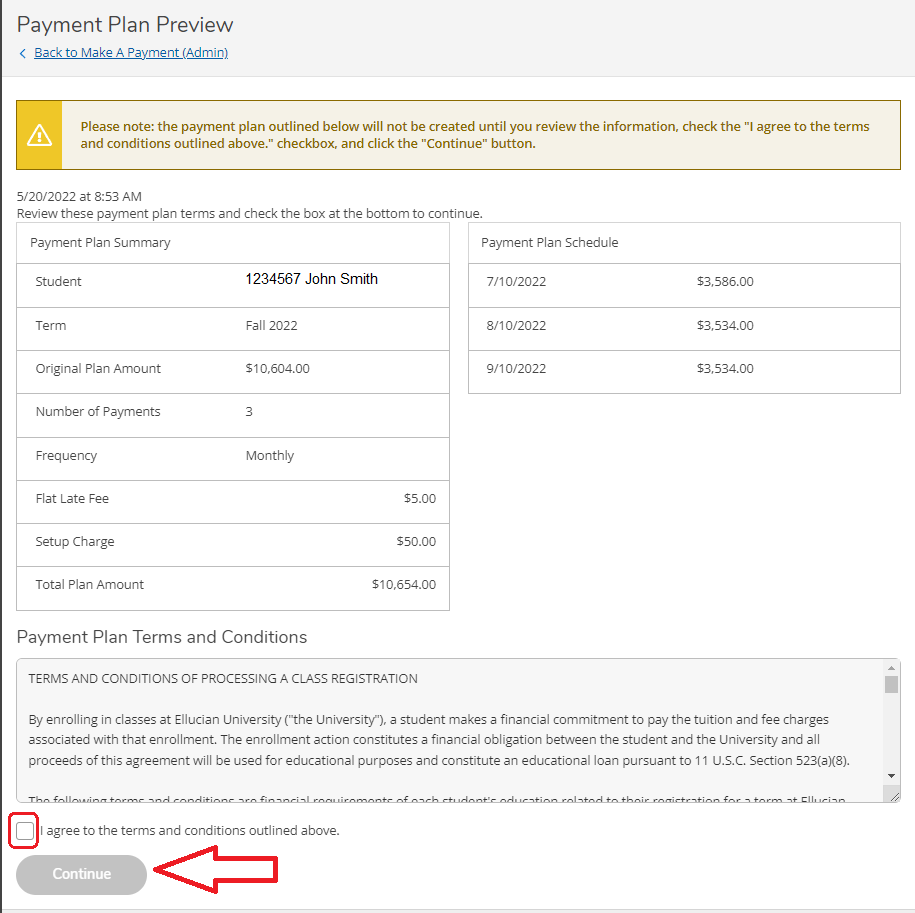
Click “Continue.”
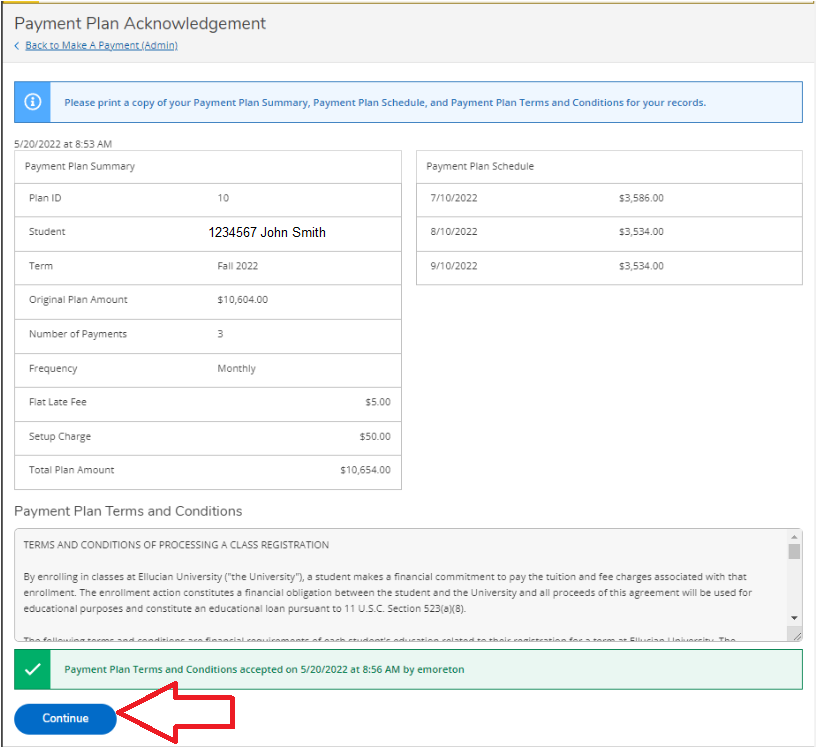
6. A payment plan acknowledgment will appear. Click on Continue to finalize the payment plan.
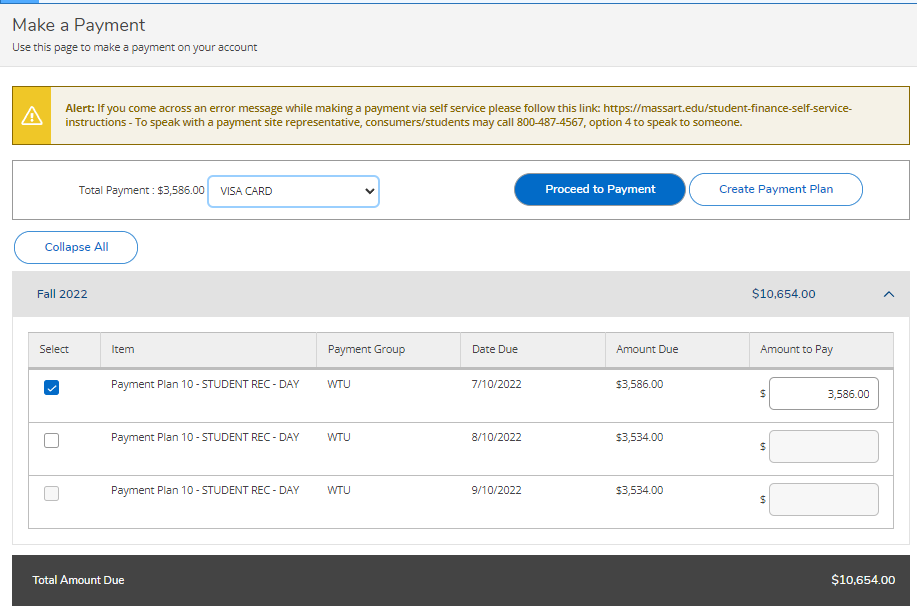
7. Now your payment plan is set up to make payments.
Learn more about Self Service, how to check your bill, and how to make payments.
Return to Self Service on MassArt.edu: