EDS Supplies Tutorial for Students

Body

EDS Supplies Tutorial for Students


Go to Online Payments Link
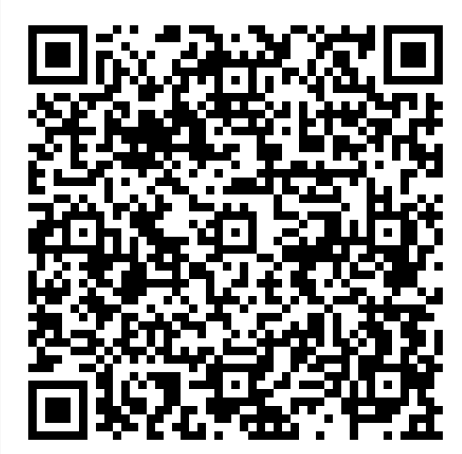
QR Code for Online Payments


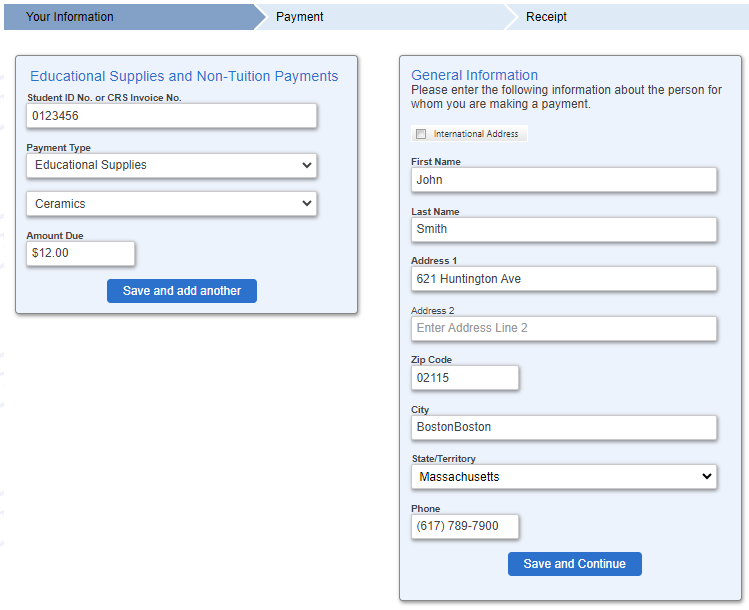
EDS Supplies Interface for Payments

  • Input your Student ID 

  • Select “Educational Supplies”

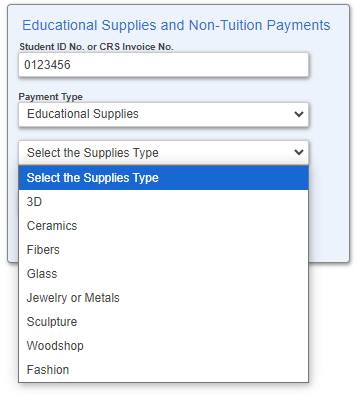
  • In the next field select Supply Type

Image of Types of Supplies

  • Input Amount


Purchasing Information Interface

  • Fill out the General Information. You will have the option on the next screen to use the same information as your billing information.


  • Select [Save and Continue]


  • On the next page you can select the “Same as Previous Information” Box to have your information auto-filled. This information should match the billing information of the card or account you are paying with.

  • Input your e-mail address you want the receipt sent to. You must do this twice. You can not copy/ paste. 

    • NOTE: Make sure you input the email address correctly as the receipt sent is your proof of payment of supplies needed to show the instructor.


  • Input “Payment Information.

    • NOTE: There is a Processing fee for Credit/Debit Cards. There is No Fee for paying via Electronic Check/ACH option.


Billing Information Interface for Purchases


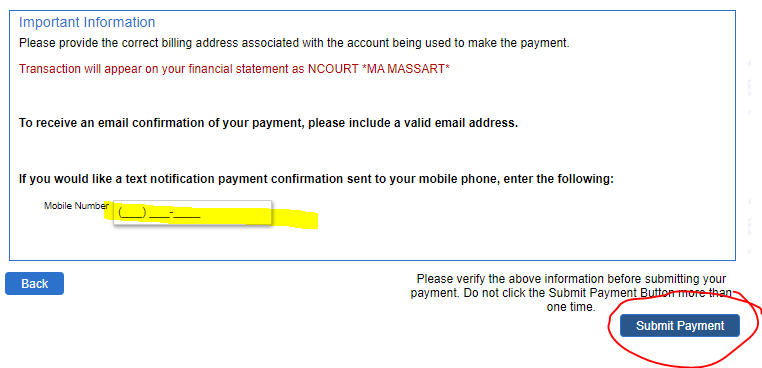
  • Select the “I Accept Box”

  • You will have the Option of receiving an additional text notification of payment 

  • Select “Submit Payment”

Address To Send Payment Confirmation

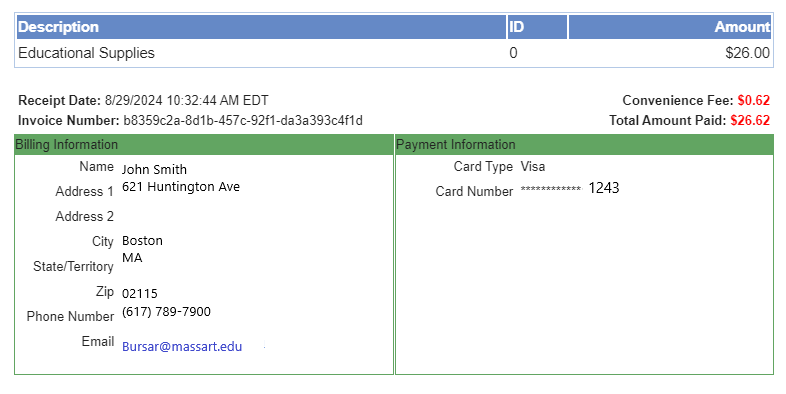
  • You will receive an email receipt that looks like this:

Image of Example Receipt

  • Show this to your instructor as proof of payment


Details

Details

Article ID: 12686
Created
Fri 10/18/24 12:06 PM
Modified
Tue 4/14/26 2:42 PM